What is the Difference Between Vibe Coding and Traditional Coding?
Vibe Coding vs Traditional Coding
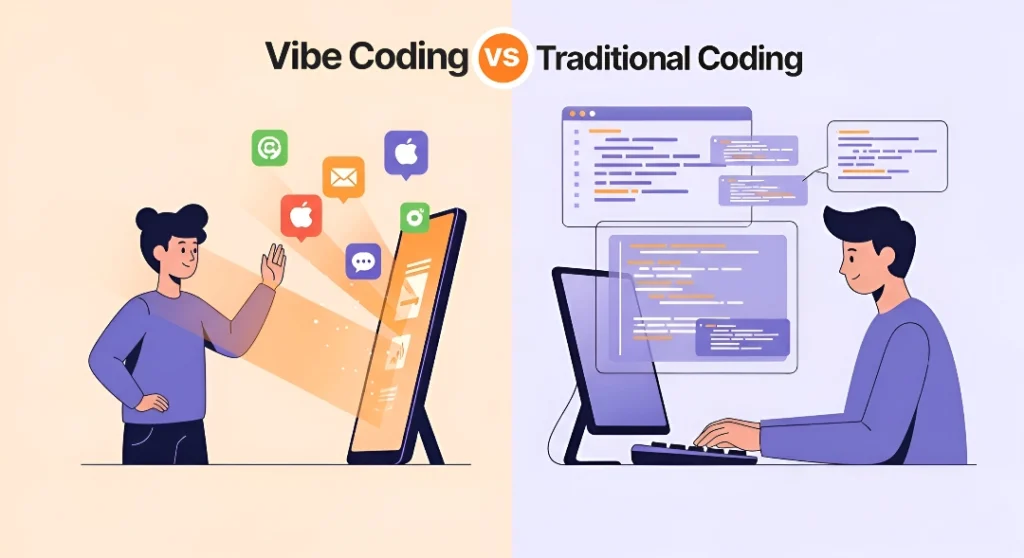
Vibe coding uses AI and natural language prompts to generate code instantly, making app development accessible to non-coders and very faster for prototyping, while traditional coding requires manually writing every line of code with precise syntax and deep programming knowledge for production-ready applications.
The key difference lies in control and speed: vibe coding prioritizes rapid creation through AI collaboration (like directing an assistant), whereas traditional coding offers complete precision and reliability through hands-on development (building everything yourself).
Since, you get to understand vibe coding vs real coding or traditional coding or traditional programming, let’s dive deep into much more details about their differences.
If you’ve been hearing the term “vibe coding” everywhere lately and wondering what all the buzz is about, you’re not alone. This relatively new approach to building software has taken the tech world by storm in 2025, sparking both excitement and heated debate. At its core, we’re witnessing a fundamental shift in who can create software and how quickly they can do it.
We’ve spent years watching software development remain locked behind walls of complex programming languages, expensive education, and years of practice. But something changed when AI became powerful enough to understand what we want and write the code for us. Suddenly, the conversation shifted from “Can you code?” to “Can you describe what you want?”
In this guide, we’re going to walk you through everything you need to understand about both vibe coding and traditional coding. We’ll explore how each approach works, when to use which method, and what this means for the future of software development. Whether you’re a complete beginner curious about building your first app or someone trying to understand this technological shift, you’ll find clear answers here.
And if you’re ready to start building something right now, check out our collection of 100+ vibe coding ideas for absolute beginners to spark your creativity.
How Did Vibe Coding Get Started? (The Origin Story)
Long before anyone uttered the phrase “Vibe Coding,” something interesting was already happening in the software world. Back in the early 2000s, platforms like Bubble began challenging the assumption that you needed to write code to build functional applications.

These no-code tools introduced a revolutionary concept: visual development. Instead of typing cryptic commands into a black screen, you could drag and drop elements onto a canvas, connect them with visual workflows, and watch your app come to life. Think of it like building with LEGO blocks instead of carving each piece from scratch.
No-code simply means building software using visual interfaces instead of writing code. You click, drag, arrange, and configure—all through your mouse and keyboard, but without typing programming syntax. These platforms handled all the technical complexity behind the scenes while you focused on what your app should do.
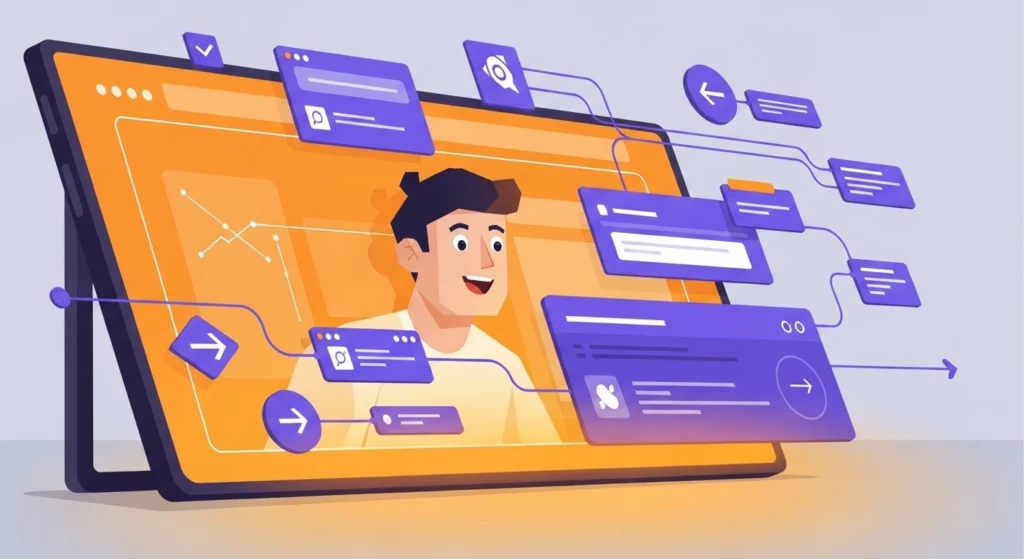
The no-code movement proved something important: millions of people had great ideas for software but were blocked not by lack of creativity or business sense, but by the technical barrier of coding. Bubble, Webflow, Zapier, and similar tools gave these people their first real shot at building.
But there was still a learning curve. You had to understand how these specific platforms worked, learn their particular interfaces, and sometimes the complexity of connecting all those visual blocks rivaled learning basic code itself. The democratization of software development had begun, but it wasn’t quite complete yet.
When Did AI Enter the Coding World?
The journey toward vibe coding accelerated when artificial intelligence started getting involved in the actual process of writing code. This didn’t happen overnight—it was a gradual evolution that picked up serious speed in the late 2010s and early 2020s.
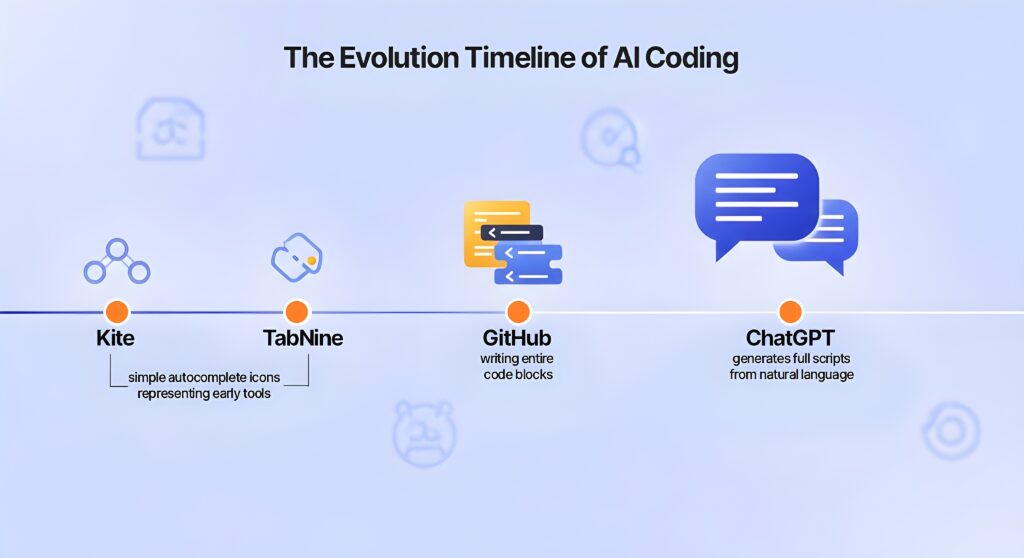
Around 2018 and 2019, tools like Kite and TabNine emerged with a promising feature: AI-powered code completion. If you were a developer typing code, these tools would predict what you were trying to write and suggest the next few lines. Think of it like the autocomplete feature on your phone, but for programming. It saved developers time on repetitive tasks, but you still needed to know how to code.
Then came June 2021, and everything shifted up a gear. GitHub, owned by Microsoft, launched GitHub Copilot—what they called an “AI pair programmer.” This wasn’t just completing a line here and there. Copilot could write entire functions, suggest whole blocks of logic, and even generate code from comments describing what you wanted. You’d type “// create a function that sorts a list of users by age” and Copilot would write the actual code for you.
AI pair programming means working alongside an AI assistant that understands programming and can suggest or write code based on what you’re trying to accomplish. It’s like having an experienced developer sitting next to you, offering help and writing code snippets as you work.
But the real explosion came in late November 2022 when OpenAI released ChatGPT to the public. Suddenly, anyone could have a conversation with an AI and ask it to write code. You didn’t need a special tool or developer setup. You could literally type “write me a Python script that organizes my photos by date” and get working code back.
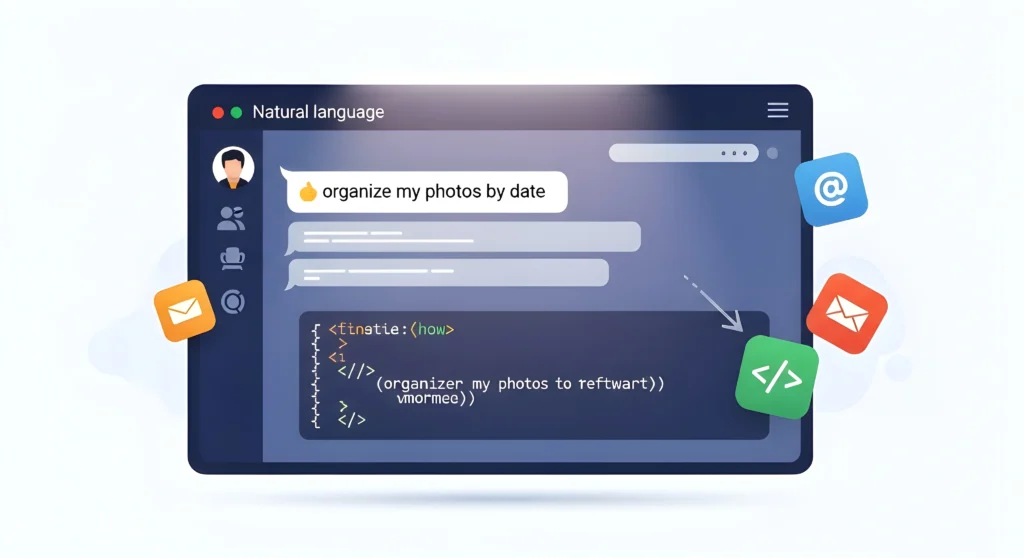
This moment was pivotal. For the first time, non-programmers could generate functional code through simple conversation. The AI understood natural language—regular English, not programming syntax—and could translate your plain words into working software. The technical barrier didn’t disappear entirely, but it became dramatically lower.
AI-assisted coding is the broader term for any approach where artificial intelligence helps generate, suggest, or write code based on your instructions, whether you’re a professional developer or a complete beginner.
Who Coined the Term “Vibe Coding” and Why Did It Go Viral?
The phrase that brought all of this into sharp cultural focus came from an unexpected tweet in February 2025. Andrej Karpathy, a respected AI researcher who had been a founding member of OpenAI and later directed AI efforts at Tesla, posted something that perfectly captured a growing sentiment in the tech world.
Karpathy described a new way of working with AI coding tools where you “fully give in to the vibes, embrace exponentials, and forget that the code even exists.” He was articulating something many developers and non-developers alike were already feeling: with AI powerful enough, you could focus entirely on what you wanted to create rather than how to create it.
The tweet went massively viral. Within hours, thousands of people were sharing it, discussing it, debating it. The phrase “vibe coding” resonated because it captured something real—a shift from meticulous, line-by-line code crafting to high-level, outcome-focused collaboration with AI.
By March 2025, just weeks later, Merriam-Webster had listed “vibe coding” on their website as a “slang & trending” term. The speed of adoption was remarkable. By the end of 2025, Collins Dictionary named it their Word of the Year, cementing its place in our technological vocabulary.
But why did this particular phrase catch fire when AI coding tools had been around for a while? Timing mattered. By early 2025, AI models had become genuinely capable of handling complex coding tasks. Tools like Claude, ChatGPT, Gemini, and specialized coding platforms like Cursor had reached a maturity level where the “vibes” approach actually worked. You really could describe what you wanted in natural language and get something functional back.
The term also sparked necessary debate. Some developers praised it as liberation from tedious syntax and boilerplate code. Others warned it represented a dangerous disconnect from understanding what your code actually does. This tension—between accessibility and understanding, between speed and control—became central to conversations about the future of software development.
Karpathy’s phrase didn’t create the phenomenon; it named something that was already emerging. But sometimes naming something gives it shape and makes it real in a way nothing else can. “Vibe coding” became shorthand for an entire approach to software development that was fundamentally different from what came before.
The cultural moment had arrived. AI tools were powerful enough. The phrase was catchy enough. The need was real enough. And suddenly, we were all talking about vibe coding.
What Exactly Is Vibe Coding? (Breaking It Down Simply)
Vibe Coding Pros/Cons
| Benefit (Pro) | Why It Matters | Limitation (Con) |
|---|---|---|
| Extremely fast prototyping | Lets beginners and teams turn ideas into working interfaces, workflows, and apps in hours, not weeks. | Quality depends on prompt clarity — vague instructions can produce wrong or unstable results. |
| Accessible to non-developers | No need to learn syntax or frameworks; great for entrepreneurs, designers, content creators. | Still requires understanding of logic — users must think clearly about data, flow, and structure. |
| Massive reduction in boilerplate code | AI handles repetitive tasks like CRUD, routing, UI scaffolding, etc. | Harder to debug generated code if you don’t understand the underlying logic. |
| Iterative, conversational development | You can refine features by simply talking to the AI — faster than rewriting code manually. | AI can hallucinate APIs or methods if not guided with constraints or real documentation. |
| Bridges idea → prototype gap | People with domain expertise can build functional demos without needing a developer. | Not ideal for mission-critical systems where correctness, security, or scale matter. |
| Integrates easily with modern no-code/low-code tools | Can push results into Bolt, Lovable, Firebase Studio, Google AI Studio, etc. | Performance tuning is limited — AI-generated code may be inefficient. |
| Encourages experimentation | You can try more variations in less time, boosting innovation. | Risk of over-relying on AI — users may skip learning fundamentals needed for long-term skills. |
How Does Vibe Coding Actually Work?
Let’s strip away all the hype and technical jargon and talk about what actually happens when you do vibe coding. At its heart, it’s surprisingly straightforward—almost absurdly so compared to traditional coding.
Step 1: Describe what you want in plain English
You start by telling an AI tool what you’re trying to build. Not in a programming language, but in regular, everyday language. This is what we call natural language—it’s just normal conversational language, the kind you’d use to explain something to a friend.
For example, you might say: “I want to build a simple to-do list app where I can add tasks, mark them as complete, and filter between active and completed tasks. I’d like it to have a clean, modern look with a blue color scheme.”
That’s it. No syntax, no semicolons, no brackets, no mysterious commands. Just a clear description of what you want.
Step 2: AI generates the code automatically
The AI tool—whether it’s ChatGPT, Claude, Cursor, or any number of other platforms—processes what you’ve said and starts writing code. This happens in seconds or minutes, not hours or days. The AI has been trained on millions of examples of code and understands patterns well enough to translate your description into functional software.
Behind the scenes, it’s making countless decisions about how to structure the app, which technologies to use, how to handle data, and how to create the interface. But you don’t see any of that. You just see the result—a working application that (hopefully) does what you asked for.
Step 3: You test the result and see what works
Now you interact with what the AI built. You click the buttons, try adding tasks, test the filtering feature, look at how it appears on your screen. This is where you evaluate: Does it match what I had in mind? Does it work smoothly? What’s missing or wrong?
You’re not reading through lines of code to check for errors. You’re experiencing the app as a user would. This is fundamentally different from traditional coding, where you’d be scrutinizing the code itself.
Step 4: You give feedback and AI refines the code
Based on your testing, you describe what needs to change. “The add button is too small—make it bigger and more prominent.” Or “When I mark a task complete, I want it to fade out slowly instead of disappearing instantly.” Or “The blue is too dark—lighten it up a bit.”
The AI takes this feedback and modifies the code accordingly. You test again. Give more feedback. The AI refines further.
The loop continues until you get what you want
This back-and-forth conversation between you and the AI is the essence of vibe coding. It’s iterative, conversational, and focused on outcomes. You’re describing the “what” and the AI is handling the “how.”
Let’s look at a real example of how this might play out:
You start: “Create a to-do list app with a purple theme.”
The AI generates a basic to-do list with purple colors.
You respond: “Good start, but I want each task to have a priority level—high, medium, or low—with different colored indicators.”
The AI adds priority levels with red, yellow, and green indicators.
You continue: “Perfect. Now add the ability to set a due date for each task and show overdue tasks in a separate section at the top.”
The AI implements the date functionality and creates the overdue section.
You finish: “Great! One last thing—add a dark mode toggle in the top right corner.”
And the AI adds dark mode.
In less than an hour, you’ve gone from nothing to a customized to-do list app with multiple features. That’s vibe coding in action.
What Tools Do You Need for Vibe Coding?
The vibe coding ecosystem has expanded rapidly, and knowing which tools exist—and what each does best—helps you choose the right one for your project. We’ll keep this brief since we have detailed reviews and comparisons coming in future articles, but here’s what you need to know right now.
AI Chatbots for Planning and Problem-Solving
ChatGPT (by OpenAI) is where many people start. It’s excellent for brainstorming ideas, planning your project, creating detailed descriptions of what you want to build, and troubleshooting when things go wrong. You can describe your app idea and ChatGPT will help you think through features, potential challenges, and even generate initial code snippets.
Claude (by Anthropic) excels at detailed, nuanced conversations about your project. If you need help thinking through complex logic or want extensive explanations of how something should work, Claude shines. Many developers use Claude when they need to understand the reasoning behind certain approaches or want to refine their prompts before sending them to coding platforms.
Gemini (by Google) brings Google’s vast knowledge base into the conversation, making it particularly good when your project involves researching how similar apps work or understanding technical concepts. It’s also well-integrated with other Google services if that matters for your project.
DeepSeek and Qwen are emerging as strong alternatives, particularly if you want options beyond the major three. Both handle coding conversations well and continue to improve rapidly.
The truth is, all of these AI chatbots are quite capable for the planning and ideation phase. Your choice often comes down to personal preference, conversation style, or which one you already have access to.
AI Coding Platforms That Actually Build Your App
Cursor is an AI-first code editor that’s become incredibly popular with both beginners and experienced developers. It provides more control over the development process while still being conversational and AI-powered. Think of it as a middle ground between full automation and traditional coding.
Replit offers a complete development environment in your browser—no setup required. It’s particularly beginner-friendly because you don’t need to install anything on your computer. You can write, run, test, and even deploy your application all in one place. The AI assistance is deeply integrated, making it easy to build progressively.
Windsurf has emerged as a powerful new player in the AI coding space, offering sophisticated AI assistance with a clean interface. It’s gained traction quickly for its ability to understand context and generate high-quality code.
Lovable specializes in building and deploying user interfaces and websites quickly. If your project is primarily about creating a visually appealing, functional website or web page, Lovable excels at going from description to deployed site faster than almost anything else.
v0 (by Vercel) is particularly good for building individual components and simple applications. If you need a pricing calculator, a contact form, or other focused pieces, v0 can generate clean, modern components in React that you can use or customize further.
The key thing to understand is that these tools serve slightly different purposes. Some are better for conversations and planning (the chatbots), while others are specifically designed to generate and run actual code (the coding platforms). Many successful vibe coders use a combination: ChatGPT or Claude to plan and refine their ideas, then Cursor or Replit to actually build.
We’ll be diving deep into each of these tools in upcoming articles, comparing their strengths, weaknesses, and ideal use cases. For now, know that you have options, and part of the learning process is discovering which tools match your working style and project needs.
What Does “Forget the Code Exists” Really Mean?
This phrase from Karpathy’s original description of vibe coding confuses a lot of people at first. How can you build software while forgetting about the code? Isn’t the code… the software?
Here’s what it actually means in practice, and why it represents such a departure from traditional development.
In traditional coding, you live in the code. You write every line, you read every line, you understand every line. When something breaks, you examine the code to find the problem. When you want to add a feature, you figure out which lines to add or modify. The code is your primary interface with the software you’re building.
Vibe coding flips this relationship. Your primary interface becomes the conversation with the AI and the working application itself. The code exists—it’s still there, running in the background—but it’s not where you focus your attention.
Think of it this way: When you drive a car, you don’t think about the thousands of components under the hood working together—the fuel injection system, the transmission mechanics, the electrical systems. You think about where you want to go and how to get there. You interact with the steering wheel, pedals, and dashboard. The complexity exists, but it’s abstracted away from your daily experience.
“Forgetting the code exists” means operating at this higher level of abstraction.
✅ You focus on questions like:
- Does the button do what I want when I click it?
- Is the layout organized the way I envisioned?
- Does the data save and load correctly?
- Is this feature working smoothly for users?
❌ You don’t focus on questions like:
- Is this function properly handling edge cases in the logic?
- Are these variable names following best practices?
- Could this loop be optimized for better performance?
- Is this the right data structure for this use case?
When the AI makes changes to your project, you accept them without manually reviewing every line. You test the outcome instead. Does it work? Great. Does it break something? Tell the AI what broke and let it fix it.
This is like directing a movie versus operating the camera yourself. A director says “I want a shot that captures the character’s isolation—wide angle, dim lighting, character small in the frame.” The cinematographer figures out the technical details: which lens, what lighting setup, where to position the camera. The director reviews the result and either approves or asks for adjustments.
In vibe coding, you’re the director. The AI is your cinematographer, sound engineer, editor, and entire crew rolled into one. You maintain creative vision and final say, but you delegate the technical execution.
This approach has significant advantages:
- You can build much faster because you’re not getting bogged down in implementation details
- You can focus on user experience and functionality rather than syntax
- You can experiment freely because changes don’t require deep code understanding
- The barrier to entry is dramatically lower for people without programming background
But it also comes with trade-offs that critics are quick to point out:
- You might not notice subtle bugs or security issues in the generated code
- When something goes seriously wrong, debugging becomes much harder without code understanding
- You’re placing enormous trust in the AI’s decisions about how to implement things
- The code quality might not meet professional standards even if the app appears to work
The “forget the code exists” philosophy is what makes vibe coding accessible to millions of people who could never have built software otherwise. It’s also what makes experienced developers nervous about code quality, security, and long-term maintainability.
The truth is, for many use cases—personal projects, quick prototypes, small tools, learning exercises—you genuinely can forget the code exists and still create something valuable and functional. For other use cases—production applications, systems handling sensitive data, software serving thousands of users—forgetting the code exists can be genuinely risky.
Understanding when you can afford to “forget the code” and when you need to care deeply about it is one of the most important judgment calls in modern software development.
What Exactly Is Traditional Coding?
Traditional Coding Pros/Cons
| Strength (Pro) | Why It Matters | Weakness (Con) |
|---|---|---|
| Full control over architecture & logic | Developers decide the exact behavior, performance, and structure. | Slow development cycles — writing everything manually takes time. |
| High reliability for large or critical systems | Banks, aviation, healthcare, and enterprise software rely on predictable engineering. | Steep learning curve for beginners — syntax, tools, frameworks, and debugging overwhelm new learners. |
| Deep debugging capability | Developers understand stack traces, errors, performance issues. | Requires years of continuous study — the tech landscape evolves nonstop. |
| Optimized performance | Hand-crafted code can be faster, lighter, and more maintainable long-term. | High cost — skilled developers are expensive to hire and train. |
| Mature ecosystem with standards | Rich tooling, libraries, architecture patterns; stable over decades. | High complexity — too many languages, frameworks, and paradigms to choose from. |
| Better for security-critical development | Developers apply secure coding practices, threat modeling, audits. | Not friendly for rapid ideation — takes too long for early-stage experimentation. |
| Scales to massive systems | Proven track record in building apps used by millions. | Barrier to entry excludes many innovators — people with ideas can’t build without help. |
How Developers Have Always Built Software
How Does Traditional Coding Actually Work? To understand what makes vibe coding different, we need to look at how software development has worked for decades—the approach that built everything from your favorite apps to the operating system running on your computer right now.
Traditional coding or real coding or traditional programming starts with a developer learning a programming language.
A programming language is a special language that computers can understand and execute, with names like Python, JavaScript, Java, C++, or Ruby. Just like Spanish or French has grammar rules and vocabulary, each programming language has its own syntax and conventions.
Syntax refers to the grammar rules of a programming language—the exact way you must write commands for the computer to understand them. Get one character wrong, forget a semicolon, or put a bracket in the wrong place, and your entire program might fail to run.
Here’s what the traditional coding process actually looks like:
The developer sits down and manually types out every single line of code. Let’s say they want to create that same to-do list app we discussed earlier. They’d start by writing code that defines what a “task” is—what information it contains (the task text, whether it’s completed, when it was created). Then they’d write code for displaying tasks on the screen. Then code for adding new tasks. Then code for marking tasks complete. Then code for storing all this data somewhere.
Each piece requires careful thought and precise execution. A simple feature like “mark task as complete” might involve:
- Writing a function that changes the task’s status
- Updating the visual appearance of that task
- Saving the change to a database
- Handling what happens if the save fails
- Updating any counters showing completed vs. incomplete tasks
- Maybe triggering an animation or sound effect
Every single aspect must be explicitly coded. The computer does exactly what you tell it to—nothing more, nothing less. If you forget to handle a scenario, the computer won’t figure it out. It will just break or behave unexpectedly.
Throughout this process, the developer constantly tests their work. They run the code, see what happens, find errors (called “bugs”), figure out what’s causing those errors, and fix the code. This cycle of write-test-debug-fix repeats hundreds or thousands of times for even a small project.
What takes minutes in vibe coding can take hours, days, or even weeks in traditional coding. A simple personal website might take a weekend or a week. A basic mobile app could take months. A complex platform like an e-commerce site could take a team of developers six months to a year or more.
The time investment isn’t just in the initial building either. Traditional coding requires understanding not just how to make something work, but how to make it work efficiently, securely, and maintainable. You’re thinking about things like:
- How will this perform if a thousand people use it simultaneously?
- What security vulnerabilities might exist in this approach?
- If another developer looks at this code in six months, will they understand it?
- How will this code interact with other parts of the system?
This depth of consideration is both the strength and the burden of traditional coding.
What Skills Does Traditional Coding Require?
Traditional coding isn’t something you pick up in an afternoon. It requires a substantial investment in learning multiple interconnected skills and concepts. Let’s break down what aspiring developers typically need to master.
Understanding Programming Languages
First and foremost, you need to learn at least one programming language fluently, and often several. Each language has hundreds of commands, functions, and libraries you need to familiarize yourself with. It’s like learning a foreign language, except the “native speakers” are computers that interpret everything literally and have zero tolerance for ambiguity.
Most developers learn multiple languages because different languages excel at different tasks. Python might be great for data analysis, JavaScript is essential for web development, Swift is needed for iOS apps, and so on.
Grasping Algorithms
Algorithms are step-by-step instructions for solving problems. In traditional coding, you need to understand common algorithms for sorting data, searching through information, optimizing performance, and handling various computational challenges.
For example, if you need to find a specific user in a database of a million users, there are multiple algorithms you could use—some fast but memory-intensive, others slower but efficient with memory. Knowing which to use when is part of a developer’s expertise.
Understanding Data Structures
Data structures are ways to organize and store information in your code. Think of them as different types of containers, each optimized for different uses. Arrays, linked lists, hash tables, trees, graphs—each structure has advantages and disadvantages depending on what you’re trying to accomplish.
Choosing the wrong data structure can make your app slow and inefficient. Choosing the right one makes everything work smoothly. Traditional developers spend significant time learning these structures and when to use each one.
Mastering Debugging
Debugging means finding and fixing errors in code. This is often where developers spend the majority of their time. The error messages computers give you are frequently cryptic. “Undefined is not a function” or “Null pointer exception” don’t immediately tell you what’s wrong or where.
Traditional developers develop detective skills—tracing through code execution, examining variable values at different points, testing hypotheses about what’s causing problems, and methodically eliminating possibilities until they find the issue.
Understanding Software Architecture
Beyond writing individual pieces of code, traditional developers need to understand how to structure entire applications. How do different components communicate? How should data flow through the system? How do you organize code so it’s maintainable as projects grow?
This architectural thinking prevents chaos as applications scale. Without it, projects become tangled messes where changing one thing breaks three other things unpredictably.
Years of Practice and Learning
Perhaps most importantly, traditional coding requires time—lots of it. Most developers spend at least a year of intensive learning before they can build anything substantial independently. Computer science degrees typically take four years. Coding bootcamps, which are accelerated programs, still usually run 12-24 weeks of full-time study.
Even after formal education, developers continue learning constantly. Technologies change, new frameworks emerge, best practices evolve. Staying current is an ongoing investment.
What Tools Do Traditional Coders Use?
The traditional coder’s workspace looks quite different from the conversational interface of vibe coding. Let’s walk through the essential tools in a developer’s toolkit.
Code Editors
Professional developers write code in specialized programs called code editors or IDEs (Integrated Development Environments). Popular options include Visual Studio Code, Sublime Text, IntelliJ IDEA, and others.
These aren’t just fancy word processors. They provide features like:
- Syntax highlighting (different colors for different parts of code to make it readable)
- Auto-completion suggestions
- Error detection as you type
- Integration with other development tools
- Ability to search across thousands of files instantly
Think of these as a workshop with all the right tools within arm’s reach, versus trying to build something with just a hammer and a screwdriver.
Terminal/Command Line
The terminal or command line is a text-based interface where you control your computer by typing commands rather than clicking icons. It looks intimidating—usually a black screen with white text—but it’s incredibly powerful.
Developers use the terminal to:
- Run their code
- Install libraries and dependencies
- Manage files and folders
- Deploy applications to servers
- Execute automated tasks
- Access remote computers
While vibe coders might never open a terminal, traditional developers live in it. Many tasks are faster and more flexible through command-line interfaces than through graphical ones.
Version Control Systems (Git)
Imagine you’re writing a novel and you want to save every version—not just so you can go back if you delete something important, but so you can try experimental chapters without losing your main draft, collaborate with co-authors without overwriting each other’s work, and see exactly what changed between any two versions.
Git is that system for code. It tracks every change, lets multiple developers work on the same project simultaneously, and provides a safety net for experimentation. GitHub, GitLab, and similar platforms host these version-controlled projects and add collaboration features.
Traditional developers commit their code changes regularly, branch off to work on new features, merge branches back together, and maintain detailed histories of how projects evolved. This practice is fundamental to professional development but completely invisible in vibe coding.
Testing Frameworks
Traditional developers write additional code specifically to test their main code. These testing frameworks automatically run through scenarios to verify everything works as expected.
For that to-do list app, tests might check:
- Can users add tasks successfully?
- Do tasks save to the database correctly?
- Does marking a task complete update the display?
- What happens if someone tries to add an empty task?
- Does the app handle internet disconnection gracefully?
Automated testing catches regressions—when a new change accidentally breaks something that was previously working. In traditional development, thorough testing is considered essential for quality software.
Databases and Servers
Traditional developers work directly with databases (systems that store and retrieve information) and servers (computers that host applications and respond to user requests). They need to understand:
- How to design database schemas (the structure of how data is organized)
- How to write queries to retrieve specific information efficiently
- How to configure servers for security and performance
- How to handle server scaling as user numbers grow
While vibe coding often abstracts these concerns away, traditional developers interact with them directly, making detailed decisions about how data is stored and accessed.
Documentation and Learning Resources
Traditional developers constantly reference official documentation—detailed guides explaining how programming languages, frameworks, and libraries work. They also rely on Stack Overflow (a question-and-answer site for developers), tutorials, courses, and technical blogs.
The learning never stops. A significant portion of a developer’s time goes to reading documentation, researching solutions to problems, and staying updated on their chosen technologies.
The traditional coding toolkit is extensive, specialized, and requires significant time investment to master. Each tool serves specific purposes in the complex process of building reliable, maintainable software. This complexity is precisely what vibe coding attempts to bypass by letting AI handle the technical details while you focus on describing desired outcomes.
Vibe Coding vs Traditional Coding: Key Differences?
Let’s put these two approaches side by side so you can see exactly how they differ in practice. Understanding these differences helps you choose which approach makes sense for your specific situation.
The Vibe Coding Process:
- Describe – You explain what you want in natural language to an AI tool
- Generate – AI writes all the code automatically in seconds or minutes
- Test – You interact with the result to see if it works as expected
- Refine – You describe changes needed, AI modifies the code accordingly
- Repeat – Continue the conversation until satisfied
The process is conversational and outcome-focused. You might go through 10-20 iterations in an hour, progressively refining your application. The feedback loop is tight and fast. Each change takes minutes, not hours.
The Traditional Coding Process:
- Plan – Map out the architecture, choose technologies, design the system
- Code – Manually write every line of code according to specifications
- Test – Run the code, identify errors and unexpected behavior
- Debug – Track down what’s causing problems, understand why
- Fix – Modify the code to resolve issues
- Optimize – Improve performance, clean up code, follow best practices
- Repeat – Continue cycling through these steps until complete
The process is methodical and implementation-focused. A single feature might take hours or days to implement correctly. The feedback loop is longer because each change requires careful coding, testing, and verification.
Here’s a concrete comparison: Let’s say you want to add a “dark mode” toggle to your app.
Vibe coding: You tell the AI “Add a dark mode toggle button in the top right corner that switches the entire app between light and dark themes.” Two minutes later, you’re testing it. If the dark mode colors aren’t quite right, you say “Make the dark mode background a bit lighter, more charcoal than black.” Another two minutes and it’s done. Total time: maybe 5-10 minutes.
Traditional coding: You first determine how you’ll manage theme state throughout the application. You write code to create a toggle button component. You define color variables for both themes. You write logic to switch between themes and persist the user’s preference. You update every component to use the theme variables instead of hardcoded colors. You test across different pages to ensure everything switches correctly. You debug issues where some elements don’t update properly. You optimize the code to avoid unnecessary re-renders. Total time: several hours, possibly a full day.
The time investment difference is dramatic. For rapid prototyping and getting ideas into testable form quickly, vibe coding is transformational. For building robust, production-ready features with careful consideration of edge cases and performance, traditional coding provides necessary control.
Who Can Use Each Approach?
The accessibility difference between these approaches might be the most significant factor in why vibe coding has exploded in popularity.
Who Can Use Vibe Coding:
Essentially anyone who can:
- Describe what they want in clear language
- Use basic computer applications
- Think logically about how things should work
- Test results and provide feedback
This includes:
- Complete beginners with zero programming background
- Entrepreneurs who want to validate ideas without hiring developers
- Designers who want their designs to become functional prototypes
- Business professionals who need custom tools for their specific needs
- Students exploring whether they’re interested in tech careers
- Content creators building tools for their audience
- Traditional developers who want to prototype faster
The learning curve is measured in hours or days, not months or years. You can start building something functional on your first day. Your limiting factor isn’t technical knowledge—it’s how well you can communicate your vision and think through what your application should do.
Who Can Use Traditional Coding:
Realistically, people who have:
- Invested significant time learning programming fundamentals
- Studied at least one programming language extensively
- Developed problem-solving skills specific to coding
- Built up tolerance for debugging and troubleshooting
- Committed to ongoing learning as technologies evolve
This typically includes:
- Computer science graduates who spent 4+ years in formal education
- Coding bootcamp graduates who completed intensive 3-6 month programs
- Self-taught developers who spent 1-2+ years learning independently
- Career developers continuing to deepen their expertise over years
The learning curve is measured in months minimum, realistically years to become proficient. The barrier to entry has historically been high—both in time investment and often financial cost (university tuition or bootcamp fees).
The Democratization Factor:
Here’s a striking statistic: There are roughly 27 million professional software developers worldwide out of a global population of 8 billion people. That’s about 0.3% of humanity. Traditional coding has been accessible to less than 1% of the world.
Vibe coding potentially opens software creation to the other 99%+. Not everyone will take advantage of it, but the opportunity exists in a way it simply didn’t before. A small business owner in rural Bangladesh, a high school student in Brazil, a retired teacher in Japan—all can now build functional software to solve their specific problems without years of study.
This democratization is profound. When only 0.3% of people can create software, we get software that reflects the needs, biases, and perspectives of that 0.3%. When anyone can create software, we get diverse solutions to problems that previously went unsolved because they weren’t on any developer’s radar.
What About Speed and Efficiency?
Speed is where the contrast becomes almost absurd. Let’s get specific about timeframes.
Vibe Coding Speed:
- Simple landing page: 30 minutes to 2 hours
- Basic calculator or utility tool: 30 minutes – 2 hours
- To-do list with multiple features: 1-3 hours
- Small web application (blog, portfolio): 2-8 hours
- MVP of a startup idea: 1-3 days
These timeframes include learning as you go if you’re a beginner. For someone experienced with vibe coding, many projects take half this time.
Traditional Coding Speed:
- Simple landing page: 4-8 hours (for experienced developer)
- Basic calculator or utility tool: 8-16 hours
- To-do list with multiple features: 2-5 days
- Small web application (blog, portfolio): 1-2 weeks
- MVP of a startup idea: 2-6 months (often with a team)
And these are timeframes for experienced developers who know exactly what they’re doing. For someone learning to code while building, multiply these estimates several times over.
The speed advantage of vibe coding is its most obvious benefit. You can test an idea Thursday evening that would have taken a traditional developer two months to build. You can iterate through five different versions of your concept in the time it would take to traditionally code one.
But Speed Has Trade-offs:
Fast doesn’t always mean better. Traditional coding’s slower pace exists for reasons:
The traditional developer is considering security implications as they code. They’re writing code that’s optimized for performance. They’re structuring the project for long-term maintainability. They’re handling edge cases and error scenarios. They’re documenting their work for future reference.
Vibe coding’s speed comes partly from skipping or automating these considerations. The AI generates code quickly, but that code might have security vulnerabilities, performance issues, or structural problems that only become apparent later.
Think of it like fast food versus a home-cooked meal. Fast food gets you fed in minutes. A home-cooked meal takes hours but you control exactly what ingredients go in, can adjust to dietary needs, and often get better nutrition and taste. Neither is universally better—they serve different needs.
For many scenarios—testing ideas, building personal tools, creating prototypes, learning how apps work—vibe coding’s speed is perfectly appropriate. The trade-offs don’t matter because you’re not building mission-critical systems.
For other scenarios—production applications, software handling sensitive data, systems requiring reliability—traditional coding’s deliberate pace produces necessary quality that fast generation can’t match.
Understanding when speed matters most and when thorough implementation matters most is crucial to choosing your approach wisely.
What Projects Are Perfect for Vibe Coding?
Not every project is equally suited to vibe coding. Knowing where this approach excels helps you make smart choices about when to use it. These are the sweet spots where vibe coding truly shines.
Weekend Projects and Personal Tools
If you have an idea for something you want to use yourself—a custom expense tracker, a meal planning app, a study schedule organizer—vibe coding is perfect. You’re the only user, so if something breaks, you’re only affecting yourself. You can iterate quickly, add features as you think of them, and the stakes are low.
Kevin Roose, the New York Times tech columnist, calls these “software for one”—little applications built for an audience of exactly one person to solve a very specific personal problem. Maybe you want an app that tracks your houseplants’ watering schedule with photos. Maybe you need a custom workout logger that captures the specific data you care about. Vibe coding excels at these highly personalized tools that no commercial app addresses perfectly.
Prototypes and MVPs
MVP stands for Minimum Viable Product—the simplest version of your idea that still demonstrates the core concept. If you’re an entrepreneur with a startup idea, you want to test whether people actually want what you’re building before investing months of time and thousands of dollars.
Vibe coding lets you create a functional prototype in days or weeks. You can show it to potential customers, investors, or advisors. You can test whether the core concept resonates. If it doesn’t, you’ve lost a week, not six months. If it does resonate, you can use the vibe-coded version to raise money or validate demand before hiring developers to build the production version properly.
Many successful startups now follow this pattern: vibe code the initial prototype, validate the market, then rebuild with traditional development once they have proof the idea works.
Testing Ideas Quickly Before Full Investment
Sometimes you have multiple approaches to solving a problem and you’re not sure which will work best. With vibe coding, you can build three different versions in the time traditional coding would take for one.
Let’s say you’re creating a language learning app but you’re uncertain whether flashcard-style learning, conversation practice, or grammar lessons should be the primary focus. You could vibe code all three variations, let users try them, see which gets better engagement, then commit to developing that approach more seriously.
This experimental mindset—build fast, test fast, learn fast—is vibe coding’s natural habitat.
Internal Tools That Don’t Need to Be Perfect
Many businesses need internal tools—admin panels, reporting dashboards, workflow automation—that only employees use. These don’t need to be polished, performant, or perfectly secure (beyond basic precautions). They just need to work.
Vibe coding can produce these internal tools quickly and cheaply. If it takes a few seconds longer to load or the interface isn’t beautiful, that’s fine. You’ve saved weeks of developer time and thousands of dollars for a tool that solves a real business problem.
Learning and Experimentation
If you’re trying to understand how applications work or exploring whether you’re interested in technology careers, vibe coding provides a perfect entry point. You can see your ideas come to life immediately, which is motivating. You start understanding concepts like databases, APIs, and user interfaces through practical experience rather than abstract study.
Many people use vibe coding as a gateway—they start building things, become curious about how the AI is implementing features, and gradually develop interest in learning traditional coding too.
Simple Content Sites and Landing Pages
If you need a portfolio website, a product landing page, a blog, or a simple informational site, vibe coding can produce these in hours. These projects are well-suited to AI generation because they’re mostly about layout and content presentation rather than complex functionality.
For projects on our 100+ vibe coding ideas for beginners list, vibe coding is typically the perfect fit. Check out that resource if you’re looking for your next project inspiration.
When Is Traditional Coding the Better Choice?
While vibe coding has opened incredible possibilities, there are still many scenarios where traditional development remains not just preferable but necessary. Recognizing these situations prevents costly mistakes.
Production Applications Serving Many Users
Once your application graduates from prototype to real product with hundreds or thousands of active users, the requirements change dramatically. Performance matters—if your app is slow, users leave. Reliability matters—if your app crashes, you lose trust and potentially revenue. Security matters—if your app has vulnerabilities, you risk user data and legal liability.
Traditional developers can optimize code for performance in ways AI-generated code typically doesn’t. They implement robust error handling. They consider security at every layer. They structure code for reliability under load.
If your vibe-coded MVP succeeded and now you’re scaling it up, that’s typically when you bring in professional developers to rebuild it properly.
Apps Handling Sensitive Data
Banking applications. Healthcare records. Legal documents. Government services. Any system dealing with sensitive personal or financial information needs security that goes beyond what vibe coding typically provides at least as of today we’re publishing this guide.
Traditional developers understand threat models—the specific ways malicious actors might try to compromise a system. They implement defense in depth, where multiple security layers protect data. They follow established security frameworks and compliance requirements (like HIPAA for healthcare or PCI-DSS for payment processing).
The AI generating code in vibe coding doesn’t consistently implement these security practices. It might create code that “works” but has serious vulnerabilities that aren’t visible until someone exploits them.
Large-Scale Systems Requiring Optimization
When you’re dealing with millions of users, huge databases, complex calculations, or real-time processing, performance optimization becomes critical. A delay that’s imperceptible with 10 users becomes unacceptable with 10,000 users.
Traditional developers can profile code to find bottlenecks, optimize database queries, implement caching strategies, design for horizontal scaling, and make architectural decisions that keep systems responsive under heavy load.
Vibe-coded applications often work fine at small scale but hit walls when usage grows. The generated code tends to prioritize “working” over “working efficiently.”
Mission-Critical Software Where Reliability Is Paramount
If software failure means danger to human life (medical devices, aviation systems, autonomous vehicles), major financial loss (trading systems, payment processing), or critical infrastructure disruption (power grids, water systems, telecommunications), you need the highest standards of traditional software engineering.
These projects require:
- Extensive testing suites that cover thousands of scenarios
- Formal verification in some cases
- Rigorous code review by multiple experienced developers
- Compliance with industry-specific regulations and standards
- Documentation that enables understanding and maintenance
- Failure recovery systems and redundancy
Vibe coding simply isn’t appropriate for stakes this high.
Long-Term Projects Needing Maintenance
Software isn’t written once and forgotten. Applications need ongoing maintenance—fixing bugs, adding features, updating dependencies, adapting to platform changes, and responding to user needs.
Code generated through vibe coding can be difficult for traditional developers to maintain later. AI-generated code doesn’t always follow best practices, might use unconventional patterns, and often lacks documentation explaining why certain approaches were chosen.
If you’re building something you plan to maintain and extend for years, traditional development’s emphasis on code quality, documentation, and maintainability pays dividends over time.
When Security and Compliance Are Non-Negotiable
Certain industries face regulatory requirements that mandate specific development practices. Financial services, healthcare, government contractors, and others must demonstrate compliance with regulations like SOC 2, ISO 27001, GDPR, or HIPAA.
These frameworks often require:
- Documented development processes
- Security audits by qualified professionals
- Penetration testing
- Code review procedures
- Change management protocols
Vibe-coded applications typically can’t meet these requirements without significant additional work by qualified professionals.
Can You Combine Vibe Coding and Traditional Coding?
The question isn’t really “vibe coding or traditional coding?” for most real-world projects. It’s “how do we use each approach where it makes sense?”
Starting With Vibe Coding to Validate Ideas
The most common hybrid approach is using vibe coding for initial validation, then transitioning to traditional development for production. Here’s how this typically works:
You have an idea for a new SaaS tool, let’s say a project management app tailored specifically for design agencies. Instead of immediately spending $50,000-$100,000 hiring developers to build it, you vibe code a functional prototype in two weeks.
You show this prototype to 20 design agency owners. Ten of them say “this is interesting but not for me.” Eight say “this is great, I’d probably use it.” Two say “I would absolutely pay for this right now.”
That’s valuable market validation that cost you two weeks instead of six months and a huge budget. Now you have evidence the idea has merit.
At this point, you hire traditional developers (or learn traditional coding yourself if you’re committed to that path). They review your vibe-coded prototype to understand the concept, then build a proper version from scratch with the benefits of professional development: optimized code, security best practices, scalable architecture, comprehensive testing.
You didn’t waste the vibe coding effort—it served its purpose of proving the concept was viable before serious investment. And you didn’t risk launching vulnerable or unscalable code to real paying customers.
Using Vibe Coding Even in Traditional Development
Interestingly, traditional developers are increasingly using vibe coding techniques in their own workflows. Not for everything, but for specific scenarios:
Generating Boilerplate Code: Much coding involves repetitive structures that follow predictable patterns. Creating a new database model, setting up a basic API endpoint, writing tests—these tasks are tedious but necessary. Developers use AI to generate this boilerplate code, then review and customize it. This saves hours of repetitive work.
Rapid Prototyping Before Implementation: Before investing time in a complex feature, developers might vibe code a quick version to see how it feels in practice. If it doesn’t work well, they’ve lost 30 minutes instead of three days. If it does work well, they have a clearer vision for the proper implementation.
Learning New Technologies: When a developer needs to use a framework or library they’re unfamiliar with, they might use AI assistance to get started quickly, learning the patterns and conventions through examples generated by the AI.
Documentation and Test Generation: AI can generate initial documentation and test suites from existing code, which developers then review and refine. This accelerates the non-glamorous but important work of maintaining code quality.
At Google, over 30% of new code is now AI-generated (though with human review). This doesn’t mean they’re vibe coding entire products, but AI assistance has become integrated into professional development workflows.
The Practical Reality in 2025
The future of software development isn’t vibe coding replacing traditional coding. It’s a spectrum where different approaches apply to different situations:
- Pure vibe coding: Personal projects, quick prototypes, learning experiments
- Vibe coding with professional review: Startups validating ideas, small businesses with basic needs
- Traditional coding with AI assistance: Professional development with productivity enhancement
- Pure traditional coding: Mission-critical systems, highly regulated industries, complex enterprise software
Most successful projects will touch multiple points on this spectrum throughout their lifecycle. The key is understanding where you are and what approach makes sense for that stage.
Vibe Coding vs Traditional Coding: Comparison Table
Choosing between vibe coding and traditional coding isn’t simply a matter of “AI vs developers.” Both approaches solve different problems, at different speeds, with different expectations for accuracy, scale, and control.
Vibe coding is shaping the new era of rapid prototyping — where ideas move from concept to working interfaces through natural-language instructions. Traditional coding remains the foundation of large, secure, and high-performance systems where precision matters more than speed.
The table below breaks down these differences in a single, holistic view to help you understand where each method excels, where it struggles, and why teams often combine both rather than replace one with the other.
| Category | Vibe Coding | Traditional Coding |
|---|---|---|
| Skill Required | No coding skills needed; natural language instructions | Requires programming knowledge and technical skill |
| Development Speed | Extremely fast (minutes–hours) | Slower, methodical (days–months) |
| Cost | Low cost tools (free–$50/month) | High salaries or contractor fees |
| Debugging | Hard if you don’t understand code; relies on AI interpretation | Systematic debugging with full understanding of code |
| Code Quality | Inconsistent; may contain bad patterns | High-quality, maintainable engineering |
| Security | Risk of vulnerabilities in AI-generated code | Strong, intentional security practices |
| Scalability | Works best for small/medium apps | Ideal for complex, large-scale systems |
| Maintainability | Harder for teams; inconsistent structure | Clean, documented, maintainable |
| Experimentation Speed | Very high — easy to try many versions | Slower, costly to iterate |
| Learning Curve | Beginner-friendly; fast to start | Steep curve; requires months or years |
| Control | AI makes many implementation decisions | Full control over every detail |
| Reliability | AI may generate wrong or suboptimal solutions | Predictable, standards-driven results |
| Production Readiness | Usually requires later developer review | Production-ready when built correctly |
| Career Value | Useful but emerging skill | High-value, established career skill |
Understanding both sides of this comparison helps individuals and teams choose the right approach for the right problem, instead of forcing a one-size-fits-all solution.
While vibe coding offers unprecedented speed and accessibility, especially for entrepreneurs, designers, and early-stage product teams, it still depends on a clear understanding of logic, workflows, and constraints.
For many projects, it acts as a powerful accelerator rather than a full replacement for coding. Traditional software development, on the other hand, remains unmatched in reliability, debugging control, architectural design, and long-term maintainability — which is why organizations building financial systems, healthcare platforms, infrastructure tools, and mission-critical apps continue to rely on it.
How Are Developers and Non-Coders Reacting to Vibe Coding?
What Do Professional Developers Think? The professional developer community’s reaction to vibe coding has been… complicated. It’s generating more passionate debate than perhaps any development trend in recent years. Let’s look at the different perspectives.
The Enthusiasts: Embracing AI as a Productivity Multiplier
Many developers, especially younger ones and those working at startups, have embraced vibe coding and AI assistance enthusiastically. They see it as a powerful tool that makes them more productive.
These developers use AI to:
- Generate boilerplate code they’d otherwise type manually
- Explore new frameworks and libraries faster
- Prototype features before investing time in careful implementation
- Handle tedious tasks like writing tests and documentation
They argue that AI handles the boring, repetitive parts of coding, freeing them to focus on interesting problems requiring genuine creativity and expertise. From this perspective, AI assistance makes developers more valuable, not less.
Some report 2-3x productivity increases on certain tasks. The time saved on routine work gives them space for deeper thinking about architecture, user experience, and solving complex problems.
The Skeptics: Worried About Code Quality and Understanding
Another substantial group of developers views vibe coding with concern or outright alarm. Their worries center on several themes:
Code quality deterioration: When developers accept AI-generated code without fully reviewing it, quality inevitably suffers. The code might work but be inefficient, insecure, or difficult to maintain.
Loss of fundamental understanding: Critics worry that relying too heavily on AI means developers—and especially new developers—won’t develop deep understanding of how systems actually work. They’ll become dependent on AI assistance and struggle when facing novel problems the AI can’t solve.
“Development hell” with AI-generated code: Several prominent developers have shared stories of projects where AI-generated code created tangled messes that became nearly impossible to debug and maintain. What seemed like a productivity gain initially became a nightmare later.
Andrew Ng, a respected AI researcher, criticized the term “vibe coding” itself as misleading. He argued it makes building software sound easier than it actually is. Even with AI assistance, creating good software still requires significant skill, understanding, and effort.
Job Security Concerns
Some developers express anxiety about AI potentially replacing their jobs. If non-coders can now build functional applications, what happens to developer employment?
Most experts believe this fear is overblown. Just as calculators didn’t eliminate mathematicians and spell-checkers didn’t eliminate writers, AI coding tools are more likely to change what developers do than eliminate the profession.
But the concern is real, especially for junior developers still building their skills. If entry-level tasks can be automated, how do new developers gain the experience needed to advance?
The Data from Major Companies
Real-world adoption statistics provide interesting context:
At Google, over 30% of new code is now AI-generated, though it undergoes human review before merging. Google views AI as augmenting their developers, not replacing them.
Among Y Combinator startups (a prestigious startup accelerator), approximately 25% have codebases that are 95%+ AI-generated as of 2025. These companies are using vibe coding to move fast with small teams.
However, many senior developers at established companies report that while AI helps with certain tasks, it’s created new problems too. Code reviews take longer because AI-generated code requires careful examination. Debugging can be more difficult when the developer didn’t write the code themselves and doesn’t fully understand it.
The Nuanced Middle Ground
Perhaps the most thoughtful perspective comes from experienced developers who see both benefits and risks. They argue:
- AI assistance is genuinely useful for certain tasks
- It’s not a replacement for understanding fundamentals
- Quality still requires human judgment and expertise
- The tools are evolving rapidly and will improve
- Developers must adapt their skills but won’t become obsolete
This middle ground recognizes that we’re in a transition period. The tools are powerful but imperfect. The practices around using them effectively are still being developed. Five years from now, we’ll likely have better understanding of how to integrate AI assistance into professional development workflows.
What Opportunities Does This Open for Non-Coders?
For people without programming backgrounds, vibe coding represents a genuinely transformative opportunity. Let’s look at what’s actually becoming possible.
Building Their Own Business Tools
Small business owners can now create custom tools that solve their specific problems. A restaurant owner might build a custom reservation system tailored to their exact workflow. A consultant might create a client management system that tracks exactly the information they care about.
Previously, these businesses either made do with generic software that didn’t quite fit, hired expensive developers for custom solutions, or simply went without. Now they can build solutions themselves or with minimal investment.
Validating Startup Ideas Without a Technical Co-Founder
The stereotype of startups is that you need a technical co-founder—someone who can actually build the product. This requirement limited who could start tech companies.
Vibe coding changes this dynamic. A non-technical founder can build a functional MVP, test it with early users, and validate market demand before raising money or recruiting a technical co-founder. Many startups are successfully launching this way in 2025.
Once the idea is validated and there’s evidence of demand, attracting investment or technical talent becomes easier. You’re no longer pitching an idea—you’re showing a working product with real users.
Creating Personal Utilities and Automation
Non-coders are building tools that solve personal problems:
- Custom expense trackers that categorize spending exactly how they want
- Meal planning apps that accommodate specific dietary restrictions
- Study schedule organizers tailored to their learning style
- Habit trackers that measure what matters to them
These “software for one” applications may never serve millions of users, but they don’t need to. They solve real problems for their creators and demonstrate that software creation is no longer exclusive to programmers.
Learning Programming Concepts Through Experimentation
Many non-coders are using vibe coding as a learning tool. By building functional applications and seeing how they work, they’re developing understanding of programming concepts—variables, functions, databases, APIs—through practical experience rather than abstract study.
Some of these learners become curious enough to dive deeper into traditional coding. Others remain at the vibe coding level, which is perfectly fine. They’re building things that work and solving real problems.
The Vision: “The Next Great Developer Is You”
Replit, one of the major AI coding platforms, has adopted the slogan “The next great developer is you.” It captures an optimistic vision of democratized software creation.
They report that approximately 75% of their customers never write code—they use natural language exclusively. Yet they’re building functional applications, deploying them, and in some cases, creating small businesses around them.
This represents a genuine shift in who can participate in software creation. Whether it ultimately transforms the industry or remains a niche alongside traditional development remains to be seen, but the potential is undeniable.
Economic Opportunities for Non-Technical People
Some non-coders are building micro-SaaS businesses—simple software services that serve specific niches. These might charge $10-50 per month and serve dozens or hundreds of customers, generating meaningful income without the complexity of large-scale software companies.
Others are building and selling templates, custom solutions for specific industries, or offering consulting services around vibe coding itself—teaching others how to build their own applications.
These opportunities didn’t exist a few years ago. The barrier to entry for software businesses was too high. Vibe coding has lowered it enough that creative people are finding ways to build valuable things and generate income from them.
Is Vibe Coding Just a Trend or the Future?
Perhaps the most important question: Is this a passing fad or a fundamental shift in how software gets built? Let’s look at the evidence on both sides.
Evidence It’s Here to Stay:
Major Tech Companies Are Investing Heavily
Google, Microsoft, Anthropic, OpenAI, and others are pouring billions of dollars into developing more capable AI coding assistants. Microsoft’s acquisition of GitHub and subsequent development of Copilot represents a multi-billion dollar bet that AI-assisted coding is the future.
These companies don’t make billion-dollar investments in temporary trends. They’re building infrastructure for long-term transformation.
Growing Capability of AI Models
AI coding capabilities have improved dramatically in just the past two years. Models like Claude, GPT-4, and others can handle increasingly complex tasks. Early AI coding tools made lots of mistakes and needed constant correction. Modern tools are far more reliable and capable.
This trajectory shows no signs of slowing. As models improve, they’ll handle more complex coding tasks, making vibe coding viable for larger and more sophisticated projects.
Increasing Accessibility of Tools
The tools are getting easier to use, more powerful, and cheaper. Many offer generous free tiers. The barrier to entry keeps dropping, which should drive continued adoption.
Large Numbers of Non-Developers Building Successfully
The fact that thousands of non-technical people are building and deploying functional applications suggests this isn’t just hype. Real value is being created. Real problems are being solved.
Why It Won’t Replace Traditional Coding Entirely:
Fundamental Limits of Current AI Approaches
Today’s AI models are sophisticated pattern-matching systems, not truly reasoning entities. They excel at common patterns they saw frequently in training data. They struggle with genuinely novel problems requiring creative solutions.
Complex software architecture, system design, and solving unusual edge cases still require human expertise. AI can assist, but it can’t yet replace the judgment and creativity of experienced developers.
Production Software Requires Quality That AI Can’t Consistently Deliver
Mission-critical applications, enterprise software, and systems handling sensitive data require quality, security, and reliability that current AI generation doesn’t consistently achieve.
Until AI can reliably produce production-quality code without human review and refinement, traditional developers remain essential for serious applications.
Maintenance and Evolution of Large Systems
Software development isn’t just initial creation—it’s ongoing maintenance, evolution, and adaptation over years. Large systems with millions of lines of code require deep understanding to modify safely.
AI assistance helps with some maintenance tasks, but human developers who understand system architecture remain crucial for managing complex, long-lived software.
The Likely Future: Coexistence with Different Use Cases
The most probable outcome is that vibe coding and traditional coding coexist, each serving different needs:
Vibe coding will dominate:
- Personal projects and utilities
- Rapid prototyping and MVPs
- Simple business applications
- Learning and experimentation
- Quick implementations of well-understood patterns
Traditional coding will remain essential for:
- Large-scale production applications
- Mission-critical systems
- Software handling sensitive data
- Complex enterprise platforms
- Performance-critical applications
- Regulated industries with compliance requirements
Professional Development Will Always Need Traditional Skills
Even if AI handles more routine coding tasks, professional software developers will need traditional coding skills to:
- Review and refine AI-generated code
- Solve complex problems AI can’t handle
- Make architectural decisions
- Ensure security and quality
- Debug difficult issues
- Maintain large, complex systems
The role may evolve from “write all the code” toward “architect systems and verify AI-generated implementations,” but the need for expertise won’t disappear.
The future isn’t binary—vibe coding or traditional coding. It’s a spectrum where different approaches apply to different situations, with tools and practices continuing to evolve rapidly.
FAQs: Vibe Coding vs Traditional Coding
Coclusion: Vibe Coding vs Traditional Coding
We’ve covered a lot of ground in exploring the difference between vibe coding and traditional coding. Let’s bring it all together.
The fundamental distinction is this: Traditional coding is building software yourself, line by line, with complete control and understanding. Vibe coding is directing an AI assistant to build software for you through conversational instructions, prioritizing speed and accessibility over deep technical control.
Neither approach is universally better. They excel in different contexts:
Vibe coding has democratized software creation in a way nothing else ever has. Millions of people who could never have built applications—because of time constraints, cost barriers, or the sheer complexity of learning programming—can now bring their ideas to life. Personal projects, rapid prototypes, business tools, and MVPs can be created in hours or days rather than months. This accessibility is genuinely transformational and opens opportunities that didn’t previously exist.
Traditional coding remains essential for production software, complex systems, applications handling sensitive data, and anything requiring the quality, security, and reliability that comes from careful, expert development. The deep understanding, precise control, and professional standards that traditional developers bring aren’t yet replaceable by AI generation.
The future likely involves both approaches coexisting. Smart builders will use vibe coding to prototype and validate ideas quickly, then transition to traditional development when projects need production-quality implementation. Professional developers will increasingly use AI assistance to handle routine tasks while focusing their expertise on complex problems, architectural decisions, and ensuring quality.
If you’re just getting started, we encourage you to try vibe coding. Build something small. Experience the satisfaction of creating functional software. Learn through doing rather than through abstract study. Check out our 100+ vibe coding ideas for absolute beginners to find your first project.
As you build, you’ll develop intuition about when vibe coding serves your needs and when you might benefit from learning traditional coding or hiring professional developers. Both paths are valuable. Both will continue evolving rapidly.
The barriers to software creation have fallen dramatically. What you build with that opportunity is up to you.